UX Case Study : WILL
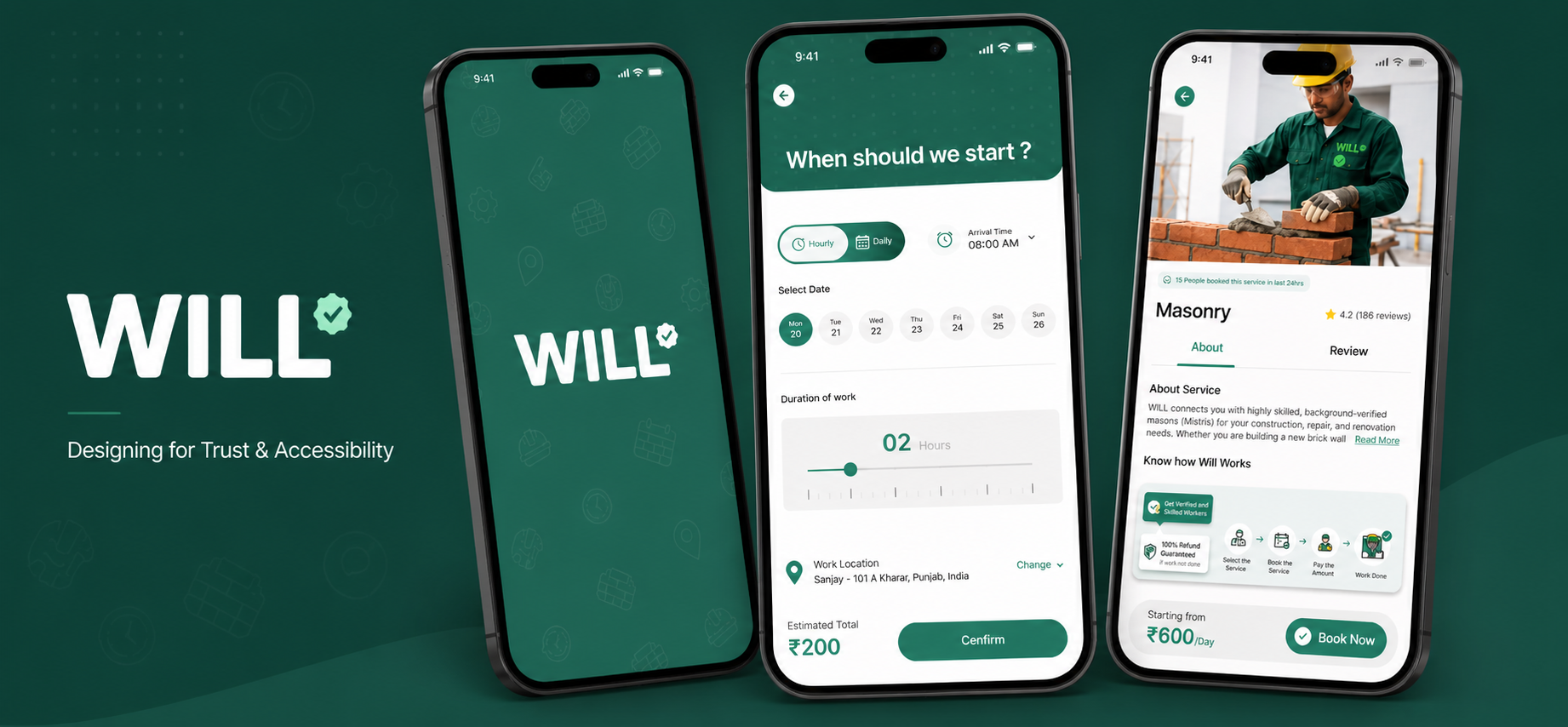
How do you design an app connecting India's busiest users to its least literate workforce?
What is WILL?
View prototypeWILL is a two-sided service marketplace connecting urban Indian professionals with daily wage workers like masonry workers & labourers.
The platform required two separate apps designed simultaneously: one for the customer booking a service, one for the worker receiving the job.
The challenge wasn't just designing an app. It was designing trust, for a customer who's never let a stranger into his home, and a worker who's been underpaid his entire life.
Project Overview
Project Duration :
2 weeks
Role:
UX Designer - Research, IA, User Flows, Wireframes, Prototype.
Tools:
Figma, FigJam, Adobe Creative Suite
The Problem
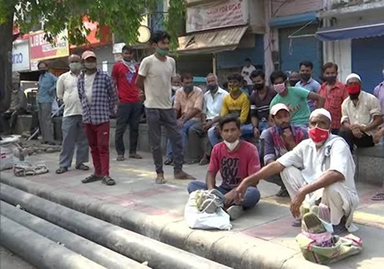
Every morning, skilled workers in Indian cities walk to a chowk and wait. They wait hoping someone has a job for them. Meanwhile, across the city, a software engineer discovers his roof has cracks and is leaking. He searches online, calls numbers off walls. After three days of no progress, he takes a leave from work — and goes to the same chowk to find someone who can fix it.
Problem Statement & User Personas
User/Customer : Sanjay
No reliable, trust-verified way to book skilled workers on demand.
Worker : Vinod
No consistent, fair way to find daily work without being underpaid.
How Might We:
Q. HMW help Sanjay trust a worker he's never met before letting them into his home?
Q. HMW ensure Vinod gets paid exactly what was agreed — every time?
Q. HMW make the booking experience work for someone who can't read English?
Q. HMW reduce the risk of no-shows on both sides?
Q. HMW design two completely different experiences that still form one seamless transaction?
Understanding the Users:
Sanjay Mehta — The Customer (Software Engineer, 29, Bangalore)
Sanjay is busy, digitally comfortable, and used to solving problems with his phone. When something breaks at home, he wants it fixed fast — without taking a day off work or letting an unverified stranger into his apartment.
Current behaviour: Googles services, calls random numbers, asks colleagues for referrals. Core anxiety: Can I trust this person in my home? Core goal: Book a verified, skilled worker quickly without disrupting his workday. Quote: "I just need to know the person coming to my house is legit."
Vinod Kumar — The Worker (Electrician, 34, Mumbai)
Vinod is skilled, experienced, and entirely dependent on word of mouth and the chowk for daily work. Some days are good. Most are unpredictable. He's been underpaid, given less than agreed, and has no way to prove his worth beyond showing up.
Current behaviour: Goes to the chowk daily, relies on repeat clients and referrals. Core anxiety: Will I get paid what was promised? Core goal: Consistent, fairly paid work — without depending on luck every morning. Quote: "I do the work. Getting paid what we agreed is another fight."
Journey Maps:
Sanjay's Arc: Notices problem → Searches online → Calls unreliable numbers → Waits with no updates → Takes leave from work → Lets a stranger in with no verification → Pays cash, no record
Low points: No trust signals. No transparency. No accountability.
Vinod's Arc: Wakes up early → Goes to chowk → Waits with no certainty → Gets a job (or doesn't) → Travels to site → Does the work → Gets paid less than agreed with no recourse
Low points: No consistency. No protection. No dignity.
Every negative emotion in these journey maps became a design question.
Information Architecture of WILL:
WILL required two separate information architectures — one per user type. Designing one without the other would break the transaction.
Key Decisions
Decision 01: Two Separate Apps
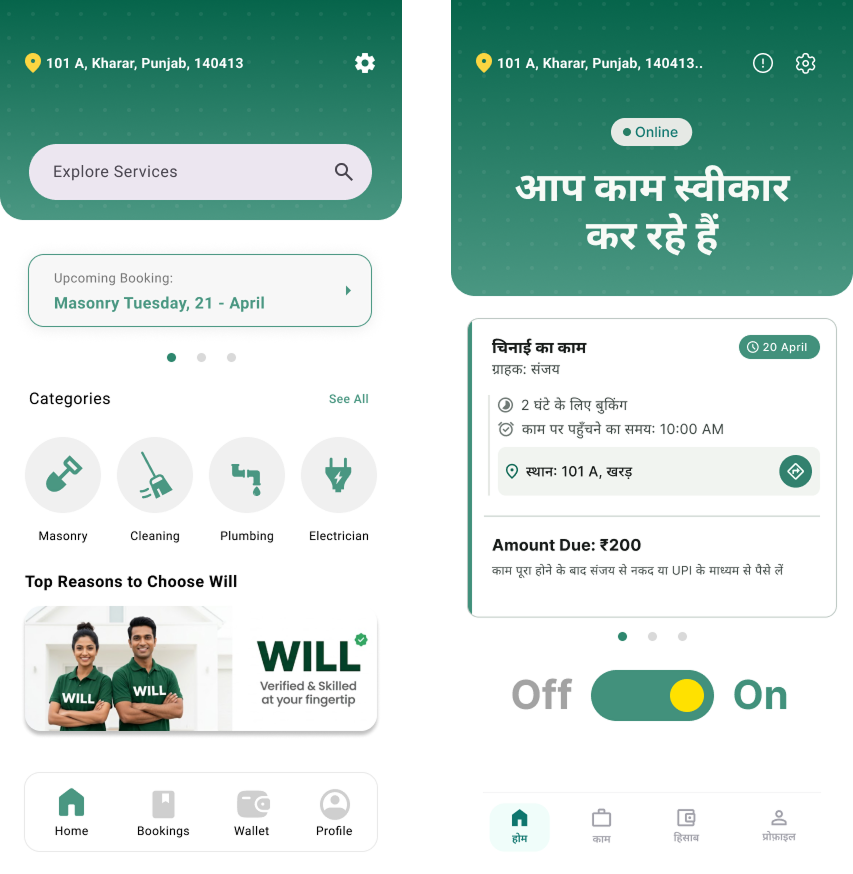
The decision: Build a dedicated customer app & a dedicated worker app.
Why: A single app causes heavy cognitive load. Keeping them separate allows for distinct UI/UX, different mental models, and targeted language settings for the worker demographic.
Decision 02: Hindi/Voice Navigation
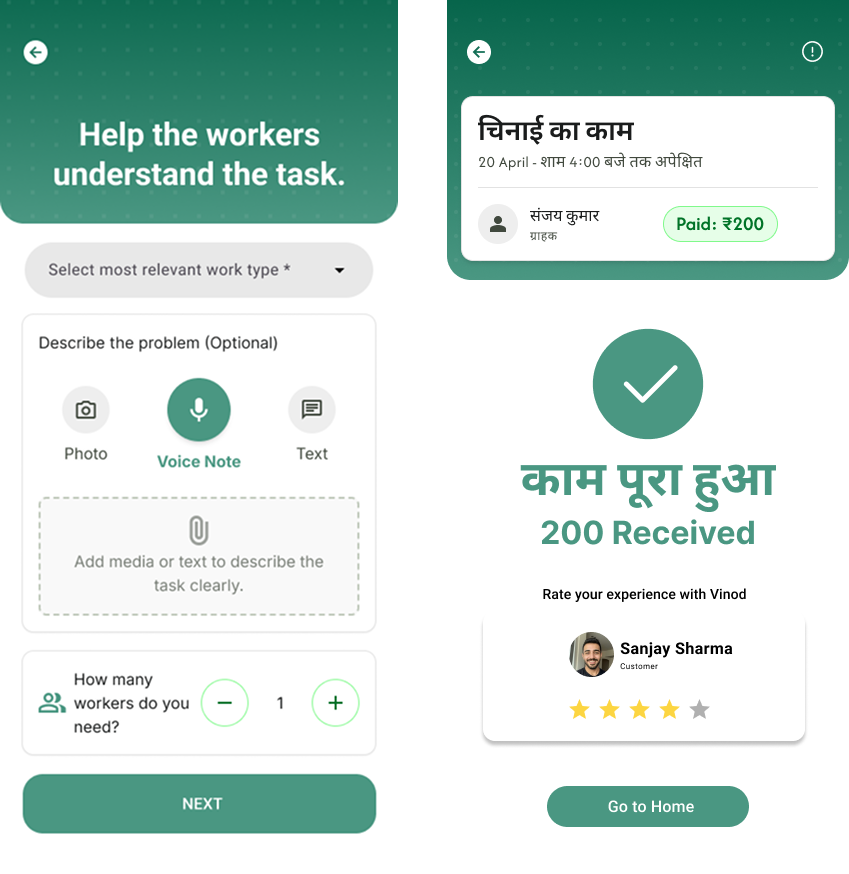
The decision: Worker app defaults to Hindi with voice readouts for core actions.
Why: A vast portion of our target demographic has low literacy. A text-heavy UI is non-functional. Voice and iconography allow users who can't read to still operate independently.
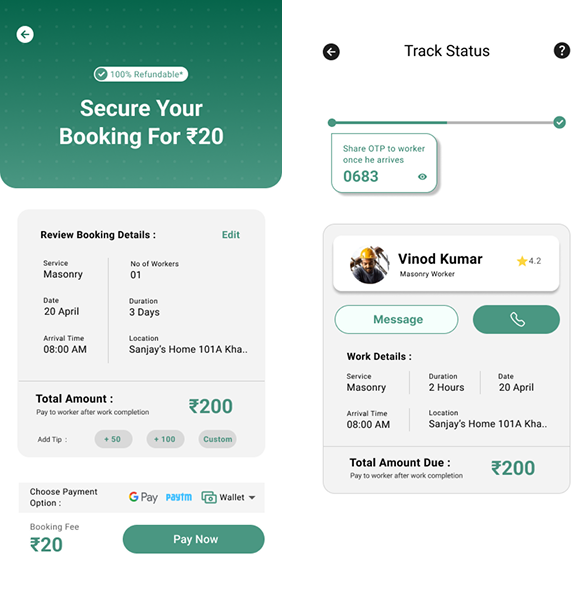
Decision 03: ₹20 Booking Fee
The decision: Charge a nominal, 100% refundable booking fee.
Why: Without financial commitment, customers cancel easily, wasting a wage worker's time. This fee ensures serious intent, while the refund guarantee protects the customer against no-shows.
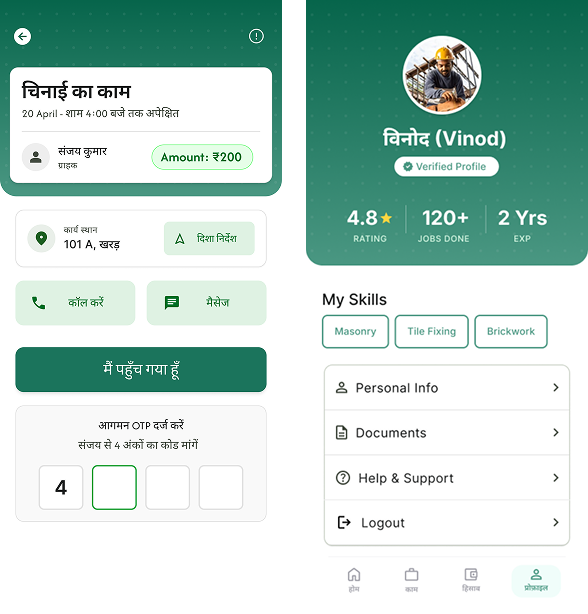
Decision 04: Dual OTP System
The decision: Require an Arrival OTP and a Completion OTP.
Why: The trust deficit is massive. The Arrival OTP verifies the worker before home entry. The Completion OTP authorizes payment only when the customer is satisfied. It creates a secure boundary.
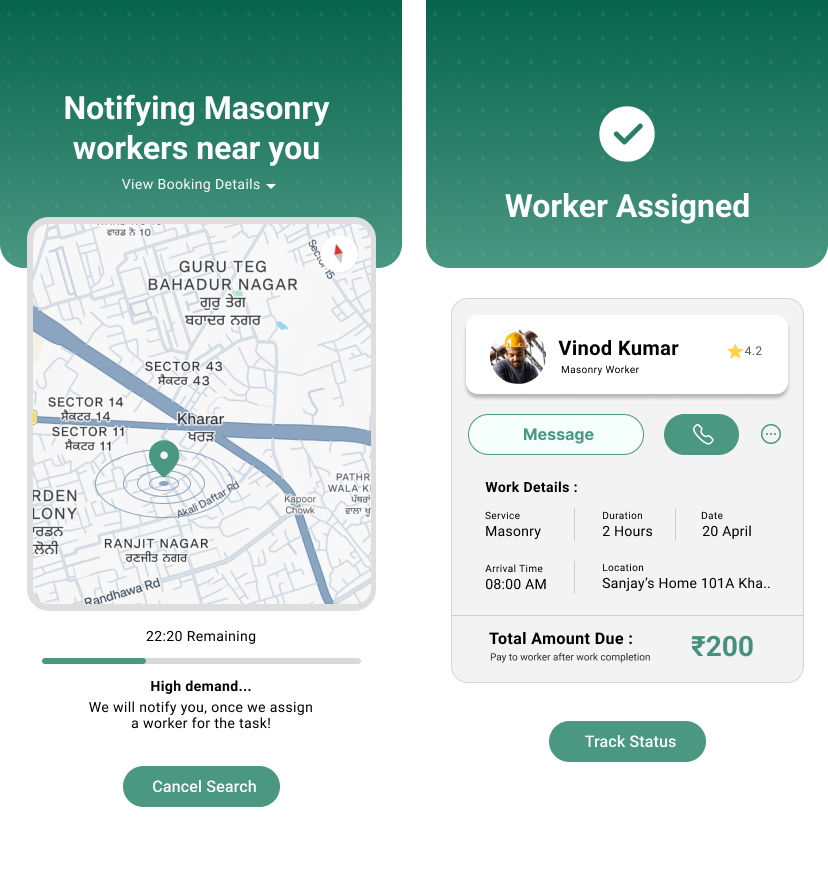
Decision 05: Automated Assignment
The decision: Connect users automatically based on verified skills rather than profile browsing.
Why: In traditional models, customers may discriminate based on photos or names. Automatic assignment removes bias, ensures equal opportunity for verified workers, and speeds up booking.
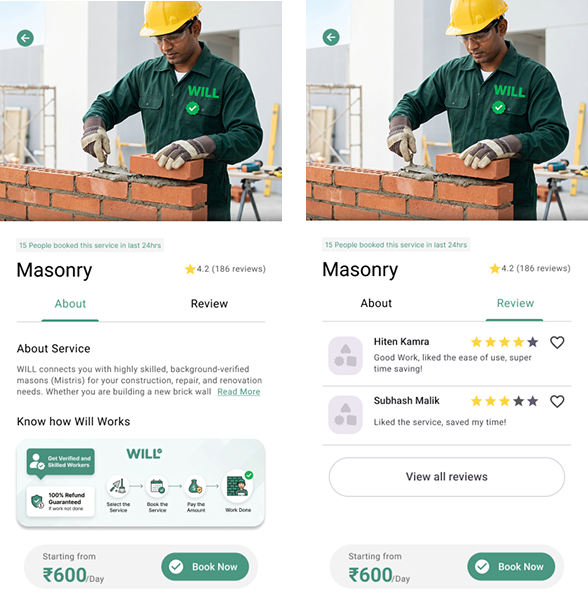
Decision 06: Visual Process Diagrams
The decision: Show a step-by-step visual diagram before booking commitment.
Why: To lower anxiety. Users need to know exactly what happens after they hit 'Book'. Visual roadmaps answer unspoken questions and build trust instantly.
"WILL is the first system that connects Sanjay (the user) & Vinod (the Worker) & protects simultaneously."